


Halloween Photo Spot Ideas with Sasquatch and Ghost Costumes
A Halloween photo spot gives visitors a moment to step into your scene. The most useful setup makes three things obvious: where guests stand, where the camera goes, and how the character joins the picture. A detailed costume supplies the focal point; the layout makes the experience easy to use.
As Halloween approaches, work with the costumes and scenery you already have available. The two concepts below use Sasquatch and Ultimate Spectre from The Horror Dome. They are planned photo encounters, so guests can choose to join and the performer can use a predictable pose.
Give the photo spot its own space
Position the photo area where a waiting group will not block an entrance, exit, or active scare scene. Provide a clear place for the photographer and a separate place for the next guests to wait. Walk through the route with a volunteer holding a phone; notice where they naturally step backward to frame the picture.
Keep that camera position inside the designated area. If taking the full picture requires backing into a busy walkway, move the backdrop or use a tighter composition. A simple sign can explain the sequence: wait here, step to the photo position when invited, then leave along the marked route.
Assign a crew member to guide the encounter when the character's costume limits easy conversation. That person can invite guests, help with positioning, and coordinate performer breaks.
Concept one: the Sasquatch field station
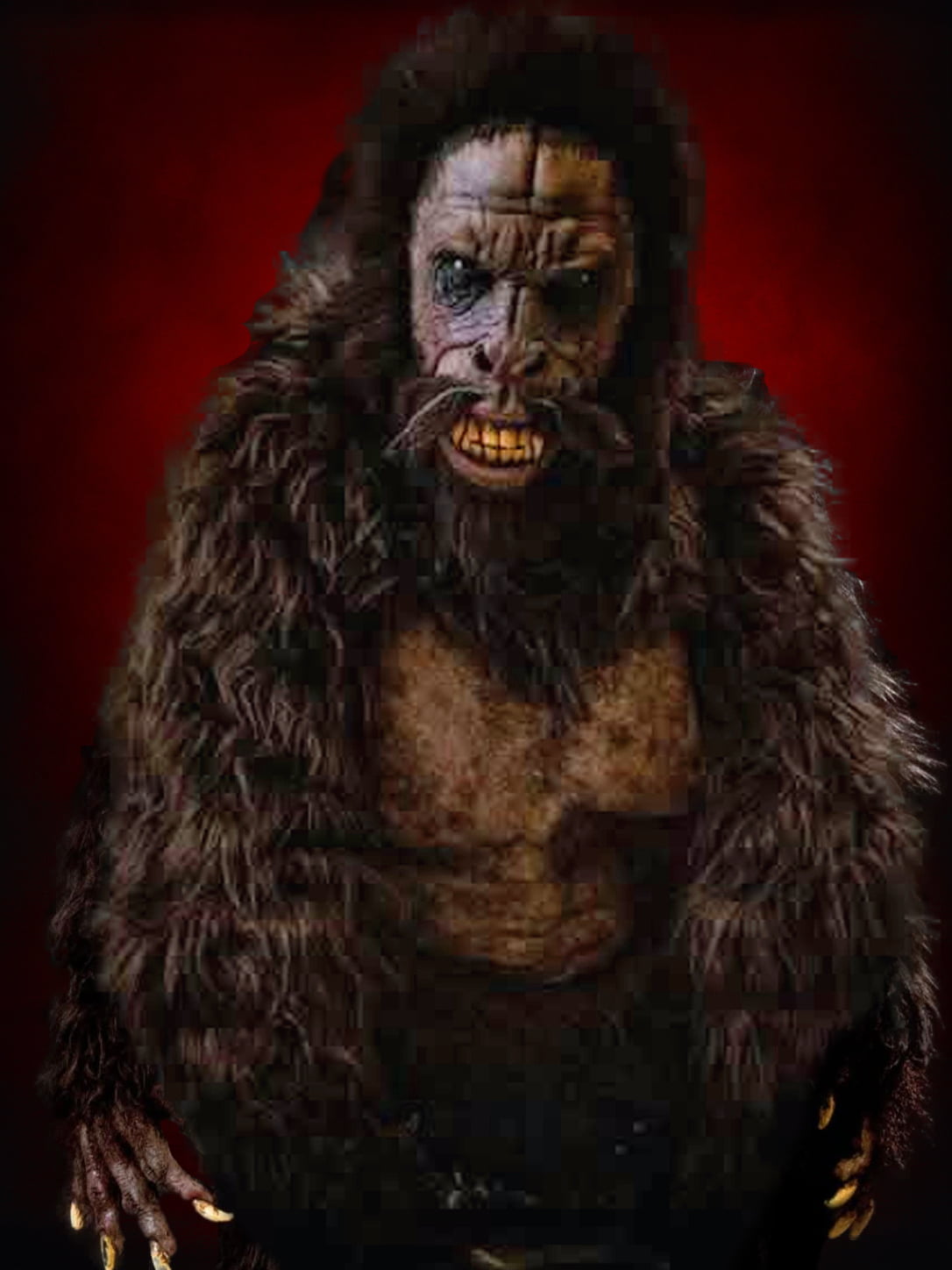
Build a fictional research checkpoint with a map-style backdrop, a “Sasquatch Field Station” sign, and a few secured scenic branches outside the standing area. The Sasquatch HD Studios Costume includes an overhead mask sculpted by Jordu Schell, a full-body fur suit, and hand-haired hands and feet.
Let the character stand beside the guests with a slight turn toward the camera. A curious head tilt or a hand held within the performer's own space can suggest that Sasquatch is studying the visitors. Guests can choose a surprised expression or a research-team pose without handling the costume.
Frame the sign high enough that it remains readable above the group. If you want a full-body photograph, test that the feet fit in the frame from the marked camera position. For a smaller area, use a closer composition and simplify the lower part of the set.
Concept two: the haunted portrait doorway
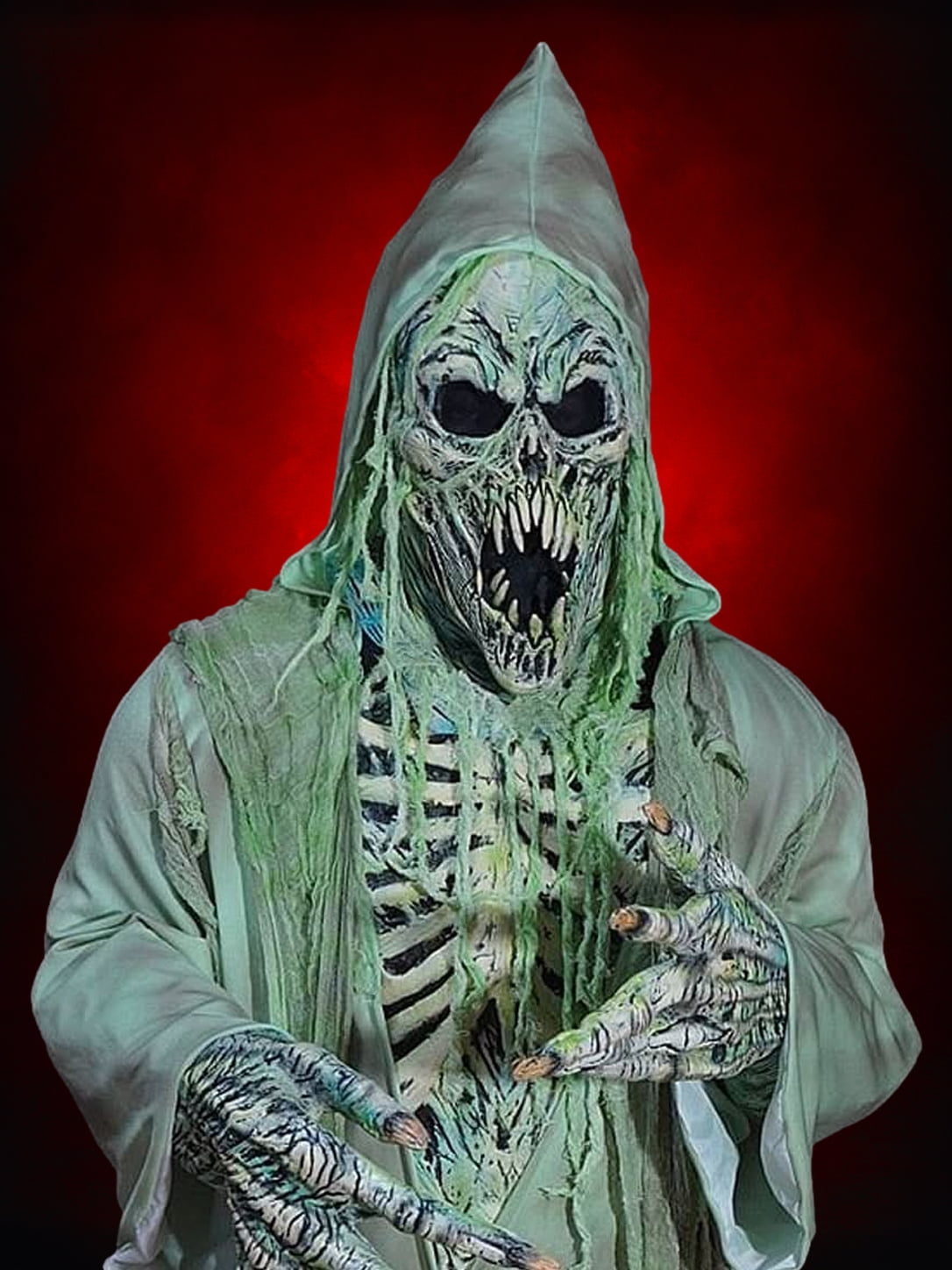
A dark scenic doorway or oversized portrait-frame facade can give a ghost photograph a clear outline. Use the Ultimate Spectre ghost costume as the figure at one side, with enough room for guests to stand separately in the composition. The costume includes the mask and chest, hands, robe, and hood.
The glow paint absorbs white light and then produces an afterglow described on the product page as lasting approximately five minutes. It glows continuously while under UV light. Those are different lighting approaches, and neither guarantees how a particular phone camera will record the scene.
Take sample photos with the actual setup before opening. You may need enough ordinary light to show visitors' faces while keeping the ghost visually distinct. For the costume's lighting behavior and rehearsal ideas, see our glow-in-the-dark ghost lighting guide.
Choose a pose that works for different groups
Rehearse one small-group arrangement and one larger-group arrangement. The character can anchor one side of the photograph while visitors fill the center. Leave enough room for people who need more space or prefer greater distance from the performer.
Offer an easy version for visitors who want a picture without a close encounter: the character stays farther back, framed by the doorway or field-station sign. Participation and posing should be voluntary. Keep this area predictable rather than adding an unexpected scare during the photograph.
A crew member can ask, “Would you like the character beside you or in the background?” That short choice gives guests control and helps the performer know which rehearsed position to use.
Check the background through the phone
Take a test picture from the marked camera position. Look for a sign hidden by a head, a branch that appears to grow from a shoulder, or backstage supplies showing at the edge. Move those details while the area is empty.
Also check the costume in the intended pose. The Sasquatch mask should remain readable against the backdrop, and the ghost's hood should frame the face without hiding it. Adjust the light and performer angle using the picture you actually see, rather than assuming the room's appearance to the eye will match the camera.
Keep the encounter moving without rushing guests
Use a simple sequence: invitation, position, pose, photo, departure. Decide who takes the picture and where that person stands. If guests use their own phones, they can choose a member of their group to take the photograph while your crew manages the space.
Keep an obvious pause point for costume adjustments or a performer break. A backdrop-only photo remains an option while the character is away. If your team plans to collect or reuse guest photographs, explain that separately and obtain the relevant permission instead of treating participation as automatic permission to publish.
Finish with a quick rehearsal
Run the whole encounter with volunteers before visitors arrive: approach, queue, pose, picture, and exit. Check that the next group can see where to wait and that nobody needs to cross the performer's reset route.
For more character inspiration, explore our Sasquatch costume spotlight. One strong character, a readable backdrop, and a clear guest flow can give your Halloween event a photo moment people can comfortably join.


Leave a comment